May 2, 2026

Internet Radio Applications for Linux - 7

I have become a big fan of streaming Internet Radio and Podcasts lately. It avoids all the static, signal strength, and local geographic limitations of terrestrial radio, and you are not tied into using your home audio receiver. It opens up the world to your computer/laptop. And of course many Linux applications have been written to fill this need. Below are several recommendations (Gemini, MakeUseOf, and my own):


Linux has a robust selection of radio applications, ranging from minimalist "set and forget" tools to full-featured media centers. Depending on whether you want a native desktop experience or something that lives in your terminal, here are the top picks for 2026:

1. Shortwave (The Modern Standard)

Shortwave is the successor to the popular Gradio app and is widely considered the best overall internet radio player for Linux today. It is built in Rust and integrates perfectly with the GNOME desktop, though it works beautifully on any environment.
Key Features: Access to over 50,000 stations via the Radio-Browser database, automatic song recognition, and the ability to record streams.
Best For: Users who want a clean, modern UI that just works.
You can find it here: https://flathub.org/en/apps/de.haeckerfelix.Shortwave


2. Tuner: Internet Radio

Make finding and listening to internet radio stations fun again!
Instead of showing all the stations you already know, Tuner presents you a new selection of stations from all over the world every time you hit the Shuffle button.
Tuner uses the community-driven station catalog radio-browser.info.
1-Discover new stations every day
2-Star stations you like and visit their website
3-Control Tuner from your volume indicator
You can find it here: https://flathub.org/en/apps/io.github.tuner_labs.tuner


3. Goodvibes (The Lightweight Choice)

If you prefer something that stays out of your way, Goodvibes is a minimalist player that lives primarily in your system tray or as a simple window.
Key Features: It doesn't use a massive database; instead, you add your own favorite station URLs. It’s extremely light on system resources and focuses on stability.
Best For: Older hardware or users who already have a specific list of stations they love.
You can find it here: https://flathub.org/en/apps/io.gitlab.Goodvibes


4. Advanced Radio Player (KDE Specialized)

For those on the KDE Plasma desktop, this is a powerful "professional-grade" option.
Key Features: It supports HLS, MP3, and Ogg Vorbis streams. It features an intelligent caching mechanism to prevent stuttering on unstable connections and handles metadata (like album art) better than most open-source players.
Best For: Users who want deep integration with the KDE ecosystem and high-quality metadata display. You can find it here: https://store.kde.org/p/1313987/


5. PyRadio (The Terminal Powerhouse)

If you spend most of your time in the command line, PyRadio is the gold standard for TUI (Terminal User Interface) radio.
Key Features: Controlled entirely via keyboard shortcuts. It uses mplayer or vlc as the backend and allows for easy station management through simple text files.
Best For: Terminal junkies and fans of "distro-hopping" who want their radio setup to be portable across any system.
You can find it here: https://opensource.com/article/19/11/pyradio


6. Pithos

Pithos is a simple but featured Pandora radio client. Log into pandora.com and create a free account. An easy to use native Pandora Radio client that is more lightweight than the pandora.com web client and integrates with the desktop.
It supports most functionality of pandora.com such as rating songs, creating/managing stations, quickmix, etc. On top of that it has many features such as last.fm scrobbling
It also has some nice plug-in such as a 10-band equalizer and volume normalization.
You can find it here: https://flathub.org/en/apps/io.github.Pithos


7. Gnome Radio

GNOME Radio is Free Internet Radio Software for the GNU Network Object Model Environment. The 73.0 release features 240 international radio stations including Studentradioen i Bergen (Bergen, Norway), Radio Revolt (Trondheim, Norway), Nea Radio (Stjørdal, Norway), Radio Riks Oslo (Akershus, Norway), Radio Rjukan (Rjukan, Telemark), Radio Stortinget (Stortinget, Oslo, Norway), Radio Latin-Amerika (Oslo, Norway), Radio Havana Cuba (Havana, Cuba), The Current (Minnesota, United States of America), Circuito Adulto Joven (Caracas, Venezuela), Radio Greenland (Godthåb, Grønland), UCT Radio (South Africa), Radio Warszawa (Poland), BBC (UK), C-SPAN (USA), Hawaii Public Radio (NPR), NPO Radio 1 (Netherlands), Radio Punjab Today (India), University of Washington (USA), Radio Alhara (Betlehem, Palestine), Radio Haifa (Israel), as well as 100+ city map markers around the world.
Available at: https://gnomeradio.org/


And many more FlatHub applications:

And there are many more available from the FlatHub Store below: https://flathub.org/en or https://flathub.org/en/apps/search?q=radio


Another article for more reading is available here:
The 5 Best Open-Source Internet Radio Apps for Linux
https://www.makeuseof.com/best-online-radio-apps-for-linux/

For those who are nostalgic (like me) for the classic hi-fi audio tuners of the past here is a nice trip back in time.


Blu Ray 4K Players: The New Audio Standard

Blu Ray 4K UHD players are my new standard for playing audio. The below 3 models from LG, Samsung, and Sony offer UHD 4K video upscaling, 24-bit/192kHz resolution audio DAC, USB input, and Wi-Fi streaming from Netflix, Pandora, and YouTube. They also offer superior cable connections via HDMI ports. They are readily available on Amazon and eBay. Put your library of FLAC audio and HD video on a 256GB USB drive, and you can listen and watch your entertainment library for days.

You can also find older similar models that have the same features. Samsung had the K8500. LG had the UBK8 series and UBK9 series. In side by side listening tests, I found the LG blu ray players had better sound, being more open and dynamic, with fuller bass. The Samsung sounded bright, and bass was well defined.

In terms of audio technology, the 4K UHD blu ray player will have an updated DAC, able to handle all of today's music formats. Some may look for older CD or blu ray players players, but these are certified for UHD PCM audio files up to 24-bit and 192 khz resolution. The Sony also supports SACD audio CDs.

Managing a music library is getting more challenging with physical CDs taking up more and more room. So storing & burning FLAC files on DVDs, Blu Ray discs, or a file server, is more efficient. Look at FLAC files for preserving your music collection and you have a lossless music collection! Although I am reluctant on parting with my precious physical CDs like a lot of folks. What to do?

Below are some 4K UHD Blu Ray players that I have and can recommend: Enjoy.

LG UBK90 Streaming 4K Ultra-HD Blu-ray Player with Dolby Vision

Ultra HD Premium, Multi-HDR, 4K Blu-Ray Disc Playback, 3D Blu-Ray/ DVD Playback, 4K Streaming Content, Built-in dual band WiFi, USB media input. All of the LG UHD 4K Blu Ray players are excellent and features similar features including 4K upscaling and HD audio (UBK80-UBK870-UBK-9-UBK970 and others).

Get the best out of your 4K TV

Since I upgraded to my LG OLED 4K TV, everything I watch looks better. But I geek out the most over shows and movies in true 4K. They just seem to pop off the screen. And the LG UBK90 4K Blu-ray player will play Ultra HD Blu-ray discs with Dolby Vision — the absolute best-quality video source available today.

Ready for the best HDR formats

Ultra HD Blu-ray discs with HDR (High Dynamic Range) allow compatible TVs to display extremely bright and dark black picture content together within the same image. HDR content makes for serious eye candy on my new OLED TV — it stands out even among other, stellar-looking 4K videos.

And this player supports the required HDR 10 format, and the more sophisticated Dolby Vision format. Dolby Vision is one of the reasons I ended up going with the LG OLED. Dolby's dynamic system can adjust brightness and color levels on a scene-by-scene basis.

Netflix has a bunch of shows in Dolby Vision, and some of them look so realistic and vibrant that it actually adds to the storytelling. Take the brutal Western show Godless: the beautiful yet nightmarish landscape is practically one of the characters. Watching sunlight peek over a mountain and spill over the dusty terrain with true-to-life shading is truly a sight to see.

Top movie sound formats and flexible connections

This player has built-in support for the highest-quality surround sound formats, like Dolby® TrueHD and DTS Master Audio™. It also plays Dolby Atmos®-encoded discs. You simply set the HDMI audio output to "bitstream" when connected to an Atmos-capable receiver.

There are two HDMI outputs: one for sending audio to your home theater receiver and one for video directly to your TV. That means you can still play sound through receivers that don't have a free HDMI input that's HDCP 2.2 compatible. You can also use an optical digital connection to get surround sound from the player to your receiver.

Dual-band Wi-Fi means smooth 4K video streaming

Along with playing discs, you can use the UBK90 to stream Netflix® and YouTube. These are the two video services that offer the most 4K content available right now. And this player's dual-band Wi-Fi gives you the strong connection needed for streaming 4K. (We recommend having an internet speed of 20Mbps or faster for 4K streaming.)


Product highlights:

Plays Ultra HD Blu-ray discs, 3D and standard Blu-ray discs, DVDs, CDs and rewriteable discs
full 4K resolution video for use with Ultra HD TVs
4K video upscaling for standard Blu-ray and DVDs
HDR (High Dynamic Range) for extended picture contrast and brightness on compatible TVs
supports HDR10 and Dolby Vision
Dolby Vision adjusts brightness dynamically for premium shading and depth
supports lower resolutions when used with non-4K TVs
plays Region A Blu-ray discs and Region 1 DVDs


Wireless Features and Technical Specs:

Dual-band 802.11ac Wi-Fi for smooth wireless streaming from Netflix and other video streaming apps
HEVC for watching streamed 4K content from Netflix (requires internet speed of at least 20Mbps)
selectable video resolution up to 3840 x 2160 pixels
built-in audio decoding for Dolby® Digital, Dolby TrueHD, DTS®, and DTS-HD Master Audio
can pass Dolby Atmos and DTS:X soundtracks when HDMI output is set to "bitstream" for decoding by a compatible receiver
Plays AAC, FLAC, MP3, and WMA audio file formats
BD-Live and BonusView support for added bonus features with compatible discs (requires external USB storage device)


Connections and General Info:

Front-panel USB port to play music, movies, and images from external hard drives, thumb drives, or Android phones
2 HDMI outputs for separating audio and video signals
HDMI 1 output is HDMI 2.0a (connected 4K TV and/or receiver must have an HDCP 2.2-compatible HDMI input, and must have HDMI 2.0a to support HDR)
HDMI 2 input does not output video signal (audio only)
optical digital audio output
dual-band 802.11ac Wi-Fi and Ethernet port for downloading firmware updates
remote control
16-15/16"W x 1-13/16"H x 9-3/8"D
warranty: 1 year


Source: https://www.crutchfield.com/S-XFqSaCjdYa1/p_689UBK90/LG-UBK90.html

4K Ultra HD Blu-ray Disc playback provides the ultimate in audio/video quality with a stunning 4K picture and state-of-the-art audio. Pop in a 4K Ultra HD Blu-ray Disc and prepare to be transported
4K streaming content - this internet-ready LG device is capable of delivering an uncompromising Ultra HD 4K streaming experience. (Additional subscriptions services may be required)
High pressure audio playback - this UHD Blu-ray DVD player Supports high Resolution audio
HDR playback - this LG Blu-ray Disc player is HDR compatible with Dolby Vision and HDR10. (HDR/Dolby Vision TV sold separately and required for Dolby Vision playback)
Blu-ray & DVD backward compatible - this LG UHD Blu-ray Disc player is backward compatible supporting both of these popular legacy standards.


Samsung UBD-M8500 4K Blu Ray Player

If your new 4K TV just arrived, you're probably chomping at the bit to see its best picture. Place an Ultra HD Blu-ray disc into the Samsung UBD-M500 4K Blu-ray player's tray, and savor your movies in true 4K resolution — a staggering 3840 x 2160 pixels. This player delivers an incredibly sharp, realistic picture, even when you sit up close.


The Samsung UBD-M8500 features a sturdy disc drive to prevent vibration.
Beautiful, lifelike picture contrast

I think High Dynamic Range (HDR) is the most exciting aspect of Ultra HD Blu-ray. It allows compatible TVs to display extremely bright and dark black picture content together within the same image. (Think tiny stars peeking through the pitch-black night sky.)

This also has Hollywood buzzing. It's given directors a brilliant visual palette to play with — subtle, delicate lighting, sparks of brightness, and true-to-life shading and shadows.
Samsung gives you more 4K viewing options — yep, including Netflix®

Have you ever seen the vibrant Colombian landscapes of Narcos in 4K? It is really something else. And the deeper shading and detail make scenes in small cafés feel even more claustrophobic.

When you connect this player to your home network via Wi-Fi or Ethernet, you get several 4K streaming options including Netflix, Amazon Instant Video, and M-Go. Plus, you can watch 4K video clips on YouTube.
Don't throw out your old discs!

You can still enjoy all your old standard Blu-rays and DVDs on this player. Samsung made 4K upconversion a top priority for the UBD-M8500. Their UHD Upscaling automatically upconverts any signal to 4K resolution. All of your movies and shows will look better than ever.
QLED TV


Find out how great the picture is on your new QLED TV (sold separately) with the Samsung UBD-M8500

Impressive sound and music options

Along with the state-of-the-art picture, your movies will sound amazing too. The Samsung UBD-M8500 has built-in support for the highest-quality surround sound formats, like Dolby® TrueHD and DTS Master Audio™. It also plays Dolby Atmos®-encoded discs (just set the HDMI audio output to "bitstream" when connected to an Atmos-capable receiver).

This Ultra HD player's no slouch when it comes to music, either. You can play music from a CD or stream tunes from services like Pandora® or Spotify®. You can even wirelessly connect to a compatible networked PC via DLNA technology and play songs from your computer.
Samsung's smart hub is smarter than most

This player's brain is a super-speedy eight-core processor — the same found in Samsung's latest high-end TVs, Galaxy phones, and tablets. It lets you do serious multitasking. You can browse the web without having to interrupt your movie, or use one app while downloading another. Plus Samsung's on-board selection of apps is pretty stacked — streaming video, sports leagues, music, games, you name it.

Project images to your screen

While newer phones are getting harder to cram into pockets, sometimes the screens still aren't large enough for certain tasks. Maybe you want to share a video or picture with a group of people. Wirelessly "push" the display to your TV's big screen through the Samsung UBD-M8500. Allshare™, Samsung's take on Miracast™ technology, mirrors the screen of your compatible mobile device, tablet, or computer screen for everyone to see.
READ LESS


Product highlights:

Plays Ultra HD Blu-ray discs, standard Blu-ray discs, DVDs, CDs and rewriteable discs (no 3D playback)
full 4K resolution video for use with Ultra HD TVs
4K video upscaling for standard Blu-ray and DVDs
supports lower resolutions when used with non-4K TVs
HDR (High Dynamic Range)-ready for extended picture contrast and brightness on compatible TVs
supports HDR10 format
plays high-resolution digital music files via USB storage device; PCM files up to 24-bit/192kHz resolution
this player accepts Region A Blu-ray discs and Region 1 DVDs

Wireless Features:

Dual-band Wi-Fi for streaming video and music (subscriptions required for some services)
streaming video services: Netflix, Amazon Prime, YouTube, Vudu, and more
streaming music services: Spotify, Pandora, SiriusXM, iHeartRadio, and TuneIn
HEVC for watching streamed 4K content from sources like Netflix, Amazon Instant, or YouTube (requires Internet speed of at least 20Mbps)
Samsung's Smart Hub lets you scroll through apps and menu while you watch a disc
AllShare lets you stream content and mirror screens from compatible Samsung smartphones and tablets
Multiroom Link for syncing wirelessly with Samsung Shape wireless speakers
on-board web browser

Technical Specs and General Info:

Selectable video resolution up to 3840 x 2160 pixels
built-in audio decoding for Dolby® Digital, Dolby Digital Plus, Dolby TrueHD, DTS®, and DTS-HD Master Audio
can pass Dolby Atmos and DTS:X soundtracks when HDMI output is set to "bitstream"
plays AAC, AIFF, ALAC, , FLAC, MP3, WMA, and WAV audio file formats
front-panel USB port for use with external storage devices
1 HDMI output
HDMI 2.0a (connected 4K TV and/or receiver must have an HDCP 2.2-compatible HDMI input, and must have HDMI 2.0a to support HDR)
Anynet+ simplifies control of compatible Samsung components via "MAIN" HDMI connection (HDMI-CEC)
optical digital audio output
remote control
Ethernet port for wired network connection
16"W x 1-7/8"H x 8-15/16"D
warranty: 1 year

Source: https://www.crutchfield.com/S-tNRdn7lQC2L/p_305UBDM85K/Samsung-UBD-M8500.html


Sony UBP-X700 review: More 4K HDR Blu-ray goodness for less money-CNET


4K Blu-ray is growing up. Current players offer better performance and cheaper prices than their predecessors. The latest batch of UHD players are available for between $100 and $200 and offer things the early adopters couldn't, including compatibility with Dolby Vision discs.

The Good

The Sony UBP-X700 is a compact powerhouse that offers similar performance and better features than the X800 for a $50 discount. The player includes a host of streaming options, and Dolby Vision support is forthcoming.The time it takes for the player to load Netflix is insanely fast.
The Bad

Only supports streaming 4K HDR from YouTube. Both cheaper competitors and Sony's own X800 offer better DVD performance.
The Bottom Line

The Sony UBP-X700 is at the cutting edge of 4K Blu-ray technology and rewards with a solid performance at a reasonable price.

With a software update available later this year, the Sony X700 will work with Dolby Vision-encoded discs, lending owners of DV-equipped TVs a sense of future-proofing.

Unlike the cheaper LG UP870 and the Oppo UBP-203, which are strictly disc players, the Sony UBP-X700 offers the best of both disc media and streaming. It's relatively fast, offers all of the apps you need, and its picture quality is top notch.

"But what about the Sony X800?", you might say, especially as that one's not going away. Performance-wise it's a wash between the two Sony players -- the main benefit to the more expensive model is a nicer-looking box and marginally better DVD performance. At a $50 saving and with the promise of Dolby Vision in the future, there's no real reason not to buy the X700. Don't need streaming, though? Save some money and get the equally impressive LG UP870.

The Sony UBP-X700 is available for $199, £269 or AU$349.


Design and features

In terms of design, the X700 sits somewhere between the up-market, book-like X800 and compact HD models like the BDP-S3700 The X700 measures a foot across and boasts a two-tone finish, but it lacks a display on the front panel -- all you'll find there are play and eject buttons. To the left of the front panel is a drop-down drawer that hides the disc mechanism.

Apart from the design, what is the difference between the X700 and the $250 X800? Two words: Dolby Vision. No one likes a format war, but Dolby's baby is one of a handful of HDR technologies vying for your attention. While support isn't coming till mid-2018, the X700 also includes the more widespread HDR 10, so you'll have most of the bases covered.

Connectivity is identical to the X800's with two HDMI ports -- one for audio and video and a second for decoding audio from an older, non-4K-sporting AV receiver. The player also comes with a coaxial digital port, which is a bit unusual, as most TVs and sound bars support optical, plus it offers a USB connection.


The menu is sensibly laid out and pretty much identical to the X800's, plus the X700 has most of the apps you can ask for, including Netflix , Amazon Prime Video, Panora, Spotify and Hulu. The player also supports 4K streaming from Netflix, Amazon Prime Video and YouTube, but only the latter in HDR. Lastly, If you somehow still need it the player includes Miracast for streaming your mobile device's screen to your player as well as DLNA.

The remote control is compact and fun with easy access to most of the functions you'll need.


Performance

There's a reason Sony players are so popular -- in our testing they have proven to be consistently good performers -- and the X700 again acquits itself quite well. We found it was equally comfortable with HD discs, 4K Blu-ray and YouTube HDR streams. Compared to the X800 though, the more-expensive player was a little bit better at playing DVDs, with less moire on the edges of the buildings in our Star Trek test disc. The X700 gives you a choice of two different settings for upscaling -- Auto1 (2K) and Auto2 (4K). As Auto1 (2) was better than Auto2 with this test, which indicates that the scaler in our LG OLED TV was taking over the heavy lifting to bring it to 4K. By contrast, we found both the LG UP X870 and Sony X800 to do a better job of reproducing DVDs with less jaggies.

So the X700 put in a good show picture quality-wise and in terms of speed it was equally adept. Most surprising was how quickly the player loaded Netflix -- at only 1.89 seconds it's the fastest a player has ever performed this test. It felt instantaneous. While we would always recommend a dedicated Roku box instead of a Blu-ray as your main streamer the X700 is a very good alternative. That said, the X800 is no slouch either -- since we first looked at the X800, its loading times have also improved, and on the disc side it is now the second-quickest at loading the Batman versus Superman 4K BD.
Loading times

Load times (s) LG UP870 Oppo UDP-203 (discontinued) Microsoft Xbox One S Samsung UBD-K8500 Sony UBP-X700 Sony UBP-X800
Netflix (until menu) N/A N/A 10.01 7.64 1.89 4.26
MI:III | player on | disk tray open 9.36 14.81 22.87 10.00 12.56 12.41
Batman vs. Superman UHD | player on 21.2 39.3 37.69 28.78 30.72 24.05

Finally, we watched a number of HDR discs, both in HDR 10 and Dolby Vision. Why Dolby Vision when it's not supported yet? We had some troubles last year with the Xbox One overblowing HDR highlights on the Dolby-sporting Despicable Me 2 test disc and wanted to see if the X700 did the same. The answer is, no; it simply read the HDR 10 layer and relayed it without issue.

Likewise, Mad Max Fury Road looked lovely, with a much more natural palette when played through the LG OLED55C8P TV than we'd seen previously. When you first see the procession of vehicles as they chase the war-truck (Chapter 2 17.00), the ultra-red details of the flaming exhausts and the blind guitarist's velour outfit "pop" but don't look completely unrealistic.
Should you buy it?

For your extra 50 bucks, what does the X800 give you? The most obvious answer is a premium build -- while the X700 looks like something you keep in a motorhome, the X800 more befits a home AV system. The other is that the X800 is a little faster with 4K load times. But things can change drastically in 12 months, for while the X800 was the best player at this time last year, that is no longer the case. In its place we present two alternatives: for the shttps://www.cnet.com/reviews/sony-ubp-x700-review/treamers, this X700 is the best option, while for people who strictly want a disc player, the LG UP870 is shaping up to be a budget superstar. Look out for a full review of the LG player soon.

Source: https://www.cnet.com/reviews/sony-ubp-x700-review/

Don't Buy a CD Player in 2026... Buy This Instead

January 2, 2026

Why Even 1080p Blu-rays Are Better Than 4K Streaming Video

4K is a bigger number than 1080p, but that doesn't mean it's better. This is especially true when it comes to 1080p Blu-ray video compared to 4K streaming. There's more to a video's quality than resolution, and Blu-rays have it.

The Elements of Picture Quality

Terms like "4K UHD" or "1080p" refer to only one factor that makes up overall image quality. Specifically, it refers to the number of pixels or "picture elements" in each frame of video. A 4K UHD (Ultra High Definition) image has around eight million pixels, while a 1080p image has a "mere" two million or so individual pixels.

While this means that a 4K image technically has four times the fine detail of a 1080p image, this is not the only thing that matters to our perception of image quality. That's why the assumption that any 4K video will look better than any 1080p video is flawed.

Several other factors have a major impact on image quality:

  • Bitrate: The amount of data used to represent each video frame can significantly impact image quality. A higher bitrate can result in less compression and more detail in the video.
  • Color depth: The number of colors that a video can display can also affect image quality. A higher color depth allows for more subtle color variations and smoother gradients, resulting in a more natural and lifelike image.
  • Dynamic range: The dynamic range refers to the range of brightness levels that a video can display. A higher dynamic range can result in more detail in the shadows and highlights, making the image more realistic.
  • Compression: Compression is necessary to reduce the file size of videos, but too much compression can result in a loss of detail, pixelation, and other visual artifacts.

In general, Blu-rays have an advantage over 4K streaming videos regarding bitrate and color depth, which we'll unpack below. They're also much less compressed, so you won't see compression artifacts. Especially since the disc is mastered and quality assured before being mass-produced.

One area where 4K streaming has a distinct advantage over standard Blu-ray movies is when it comes to dynamic range. Only 4K UHD Blu-rays support HDR, but it's becoming common with 4K streaming. A good HDR 4K stream will knock the boots of a standard 1080p Blu-ray without HDR. At least when it comes to this particular feature.

Blu-ray's Bitrate and Color Depth Advantage

A 1080p Blu-ray disc typically has a much higher bitrate than a 4K compressed video stream. This means the Blu-ray can use more data to represent each frame, resulting in a clearer and more detailed image than the highly compressed 4K video stream. The extra data allows for a wider range of colors, more detail in the shadows and highlights, and less visible compression artifacts such as pixelation and blurring. You'll often hear of "crushed" blacks in compressed video, which refers to the loss of details in dark areas.

Related: Which Streaming Service Has the Best Video Quality?

Another advantage of Blu-ray discs is that they are not subject to fluctuations in internet speed. This means that you can consistently enjoy high-quality video without buffering or quality drops that can happen when streaming video online. With a Blu-ray, you can be confident that you'll get the best possible image quality without worrying about internet speed.

A typical 4K stream might consume around 25Mbps while a standard Blu-ray uses around 40Mbps, but don't forget that the 4K stream has four times the pixels, so the bitrate advantage on a per-pixel basis is significantly more than these two numbers suggest by themselves.

The ability to see the difference between 4K and 1080p video depends on a few factors, including the size of your screen, how far away you are from the screen, and the quality of the video itself.

If you're sitting too far away from your TV, you may not see the difference between 4K and 1080p video. That's because the further away you are, the harder it is to see individual pixels.

Video quality can also impact your ability to see the difference between 4K and 1080p. If a 4K video has been compressed heavily or is low quality, it may not look better than a high-quality 1080p video regardless of where you're sitting.

Another wrinkle to this story is that modern 4K TVs have become very good at upscaling 1080p video to 4K. In the case of 1080p Blu-ray content, the high bitrate gives the upscaler a lot to work with, so in the end, the upscaled Blu-ray may be very 4K-like in resolve while maintaining the color depth and motion detail advantages of Blu-ray.

Related: Are You Watching 4K Content? Here's How to Tell


Blu-ray Audio is in Another League

Thanks to higher bitrates and less compression, Blu-ray audio generally offers better sound quality than typical streaming audio.

Blu-ray discs can use lossless audio formats, such as Dolby TrueHD and DTS-HD Master Audio, which can deliver sound quality identical to the original studio master. These formats use higher bitrates and less compression than typical streaming audio, resulting in more detail, clarity, and depth in the sound.

In contrast, typical streaming audio often uses lossy compression, meaning some audio data is discarded to reduce file size. While this compression can help streaming audio to be delivered more quickly and smoothly, it can also result in a loss of detail and a more compressed, less dynamic sound.

That said, it can depend on your specific audio equipment. You may not notice much difference if you don't have sound equipment to take advantage of that extra clarity. If your audio goes through a Bluetooth system, even Blu-ray audio becomes compressed with a lossy audio algorithm.

Streaming Artifacts Can Spoil Your Fun

Common visual artifacts that can occur with 4K streams on services like Netflix or Hulu include compression artifacts, banding, and macro blocking.

Compression artifacts are caused by the heavy compression used to deliver 4K content over the internet. They can manifest as pixelation, blurring, or smearing of fine details and can be especially noticeable in fast-moving scenes or areas of high contrast, such as text on a background.

Banding occurs when the image has visible gradients of color rather than a smooth transition. This can be especially noticeable in areas with subtle color gradations, such as skies or shadows. Banding is caused by the limited bit depth of the video, which can result in color information being lost during compression. Even on a 1Gbps connection, your author witnessed severe banding in Amazon's The Rings Of Power streaming at 4K, along with prominent color and motion issues.

Macroblocking is a compression artifact that appears as large blocks of pixels in the image. These blocks can be distracting and reduce the video's detail and clarity. It looks like an image break-up and wouldn't be allowed on a professionally-mastered, quality-controlled Blu-ray.

All of these visual artifacts can affect the viewing experience by reducing the detail and clarity of the image. They can be especially noticeable on larger screens or with higher-end equipment, but the difference is obvious on even entry-level modern displays.

Grab Those Blu-rays While You Can

There's a good chance that Blu-ray will be the last mainstream optical format. Going ahead, your only option may be to buy or rent digital movies and series. Of course, just like you can buy lossless digital music today, you'll likely get to buy massive digital video files that equal Blu-rays in quality. Then again, it will be some time before routinely downloading 50GB of data for a single movie becomes commonplace.

However, compression technology is improving, so video quality comparable to Blu-ray may meet the further spread of high-speed internet halfway. We don't know how long it will take, but there will come a time when streaming, and downloadable movies will objectively offer better quality than Blu-ray, but that still leaves other weaknesses of digital purchases, such as having no guarantee that your access to that content will be perpetual.

Source: https://www.howtogeek.com/872777/why-even-1080p-blu-rays-are-better-than-4k-streaming-video/#:~:text=Blu%2Dray's%20Bitrate%20and%20Color,highly%20compressed%204K%20video%20stream.


September 4, 2025

How to Rip Any Audio CD Using Foobar2000

 If you have a collection of old audio CDs lying around and collecting dust, then it is never too late to digitize it before they get damaged and stop playing altogether. Digitizing the audio CD is also called ripping and it means that you save them audio tracks from the CD on your computer’s hard drive in form of audio files. These audio files can have any file format such as WAV, MP3 or FLAC – any format that can be easily played on a standard Windows PC.

For ripping an audio CD there is no other software better than the good old Foobar2000. This software has been a favorite of music enthusiasts since the early 2000s and it is still being developed in 2021. Here is how we can use Foobar2000 to rip any audio CD:

First of all download Foobar2000 from https://www.foobar2000.org/, install and launch it.

Note: If you want to rip to other formats other than WAV files (MP3,FLAC, AAC, etc.), you will need to also download the Foobar Encoder Pack add-on located here:  
https://www.foobar2000.org/encoderpack
     Install it, then proceed.

Load the audio CD in your computer’s CD/DVD drive and wait for it to be recognized by Windows.
In Foobar, select File → Open audio CD from the menubar.


  1. First of all download Foobar2000 from https://www.foobar2000.org/, install and launch it.
  2. Load the audio CD in your computer’s CD/DVD drive and wait for it to be recognized by Windows.
  3. In Foobar, select FileOpen audio CD from the menubar.
  4. A small window will open up and when it is done detecting your audio CD, click on the Rip button in this window.


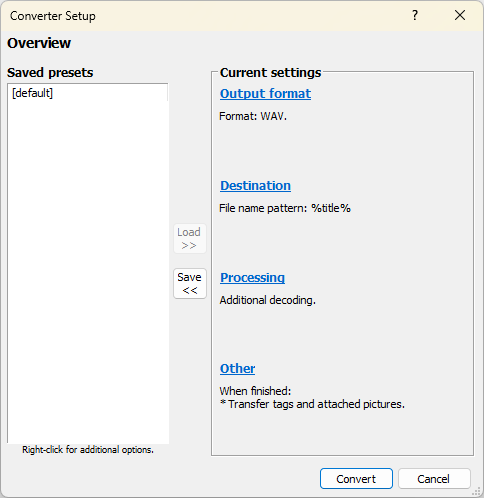
  5. If you want to convert the audio CD into MP3 then click on Proceed to Converter Setup Dialog button. From here you can choose the output file format and start ripping.
  6. If you want to rip the audio CD in WAV format, then choose default preset and click on the Rip now using one of the following presets.


  7. After you have selected an output folder, it will start to rip your audio CD. In a few minutes, you can check the output folder for all the tracks.


As you can see ripping an audio CD using Foobar is very straightforward. There are no complicated or confusing configurations. However, it is not able to rip any DRM protected, locked or encrypted content.

Source: https://www.trishtech.com/2021/05/how-to-rip-any-audio-cd-using-foobar2000/


Choose Foobar2000 for Audio Conversion

Foobar also does a great job splitting FLAC-CUE files. The encoder pack is all you need.
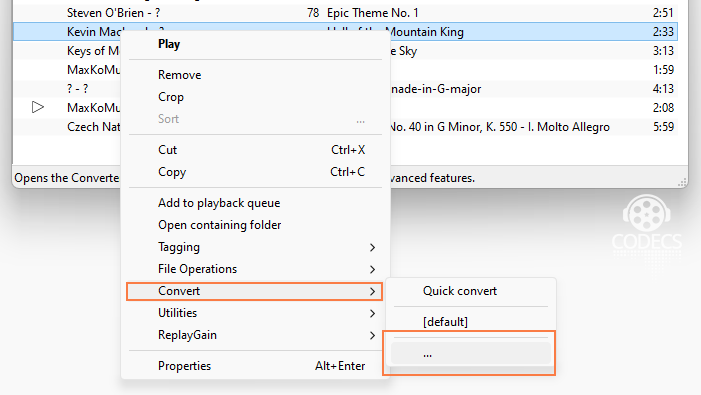
Drag the CUE and FLAC files to the playlist, right click, and select Convert.


1: Select Files and Choose Output Format

Once you have added the files, they will appear in the Foobar2000 playlist. Select the files you wish to convert by clicking on them while holding the Ctrl key (for multiple selections) or by clicking and dragging to highlight a group of files.
 

f

Next, right-click on the selected files and select "Convert" > "..." from the context menu. A new window will open, allowing you to configure the conversion settings.

foobar2000 Converter Setup

Source: https://www.free-codecs.com/guides/audio_file_conversion_made_easy_with_foobar2000.htm


September 3, 2025

7 Best Free CD Rippers in 2025

If you need to rip tracks from CDs on a regular basis, it makes sense to get the best free CD ripper with a plethora of tools and features that make the entire process simple and fast. Besides, such programs can help you archive older albums, singles and EPs.

A reliable CD rip program reads each segment of the disc several times and compares the results with the data provided by other users in order to eliminate all kinds of errors. Unfortunately, many options advertised as the best CD ripping software can’t reach those quality standards set in the industry.

Top 7 Free CD Rippers

  1. FairStars - Rip audio from CD in a variety of formats
  2. Exact Audio Copy - Outstanding in handling CD imperfections
  3. fre:ac - A lot of tweaking for each encoder
  4. FreeRip - Ripper, plus a converter and a tagger
  5. CDex - Works with most CD hardware
  6. dbPowerAmp - Makes archiving and encoding music a breeze
  7. Audiograbber - Nifty good CD ripper with line-in sampling

Though the programs are designed for the same task, there are particular differences between them. The quality of the ripped files is typically worse than the original, which happens because of the transformations that take place during reading and encoding. That’s why, you need the best CD ripping software to keep the final quality as close to the original CD as possible. This mainly refers to complete and accurate metadata encoded in a lossless format.

Source: https://fixthephoto.com/best-free-cd-ripper.html

Honorable Mention:

8. Foobar - Rip audio from CD in a variety of formats. Available here:
https://www.foobar2000.org/


September 2, 2025

10 Best Media Players & 5 Best Music Players For Windows PC

Which is the best media player for Windows PC — If you’re looking for this question’s answer, you’re at the right place. Apart from being a feature-rich software, a media player also needs to be simple, intuitive, and lightweight. If we take these factors into account, players like VLC, GOM, Media Player Classic, etc. are recommended. But, what about their features?
As there are tons of software available for Microsoft Windows platform, choosing the right one for your computer isn’t an easy task. Also, with the increasing number of newer media formats, not all free media players are capable of running all popular file formats like MKV, FLV, AVI, MP4, MOV, etc. That’s why very often people send us emails asking the question “Which is the best media player for Windows?” This has prompted me to prepare a list of the best free media players for Windows operating system. You can also check our previous lists of top video players for Android and Linux.
Apart from being a free video media player, it should also be lightweight to make sure that your multitasking doesn’t take a hit while watching movies and TV shows. So, let’s take a look at different options and help you make the best possible decision:

10 Best Media Players for Windows


1. VLC Media Player


best media player
VLC media player
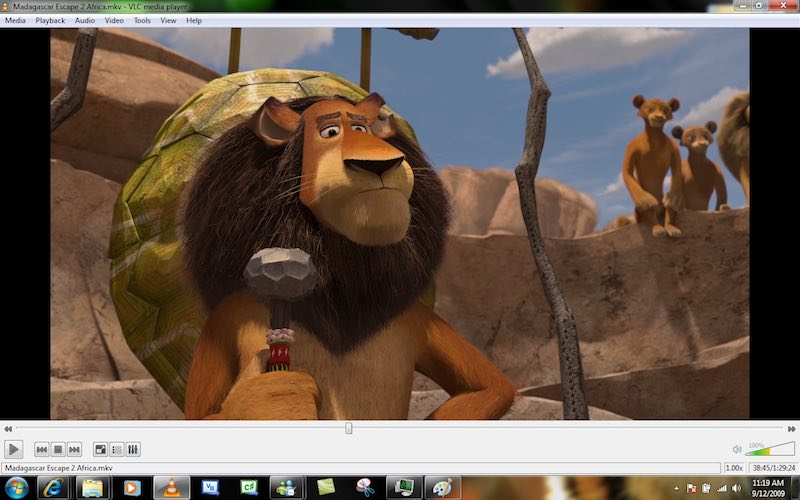
Whenever we start any discussion of the best media players and how great they are, the name VLC automatically comes at the top. But, why is it so? What’s the reason behind its massive popularity? VLC Media Player is a free and open-source media player that’s available for all popular platforms. Created by the VideoLAN project, VLC Media Player is known to support a vast number of audio and video compression methods and file formats. Over the years, VLC has earned the reputation of being the “play everything” video player. VLC has also inspired the development of many other media players with the same focus.
VLC is one of the best PC media players due to its fast and simple nature that doesn’t involve any painstaking steps. The software also features different customization options that can help you improve your viewing experience and change the look of the player. It’s also often used a streaming media player. Being an open source media player, you are free to examine its source code. This amazing Windows Media Player alternative also receives frequent updates and has a large user community. It runs on all Windows versions, from Windows 10 to Windows XP SP3. From time-to-time, this free movie player keeps receiving new features and updates. It’s my de-facto choice for fulfilling all media playback needs. You can also check out our dedicated article on VLC tricks.
Supported Platforms: Windows 10, Windows 8.1, Windows 7, Windows Vista, Windows XP
– VLC Media Player website


2. PotPlayer


best media player
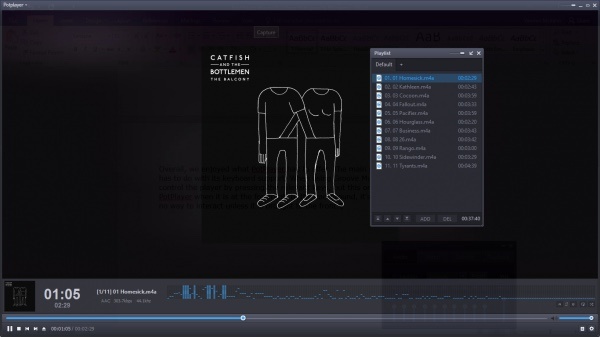
Pot Player in action
Competing with other video players like VLC, PotPlayer has managed to earn a good reputation in the recent times. This multimedia software for Windows platform has been developed by South Korean internet company named Kakao. PotPlayer has tons of features and specialties that can easily give VLC a run for its money. This recommended media player comes with a wide range of customization options that allow you to make this software fit for your needs. Using the techniques like CUDA, QuickSync, and DXVA, PotPlayer is able to deliver maximum performance and a lightweight experience. That’s why PotPlayer is the second best media player on the list.
Compared to VLC, PotPlayer might be less popular but it supports even more file types. It goes without saying that it’s a great player for MP4/FLV/AVI/MKV files, which are very common. You have the option to make a choice between sound cards, bookmark your favorite scenes and preview them, etc. You also get filters for brightness, contrast, hue, noise reduction, etc. It also comes with lots of built-in keyboard shortcuts and hotkeys. But, what makes VLC more popular than PotPlayer? Well, for most of the users, the long list of features and settings might be just too much. Also, PotPlayer is limited to Windows. Overall, PotPlayer is one of best media players around if you want to ditch VLC Media Player.
Supported Platforms: Windows 10, Windows 8.1, Windows 7, Windows Vista, Windows XP
– PotPlayer website


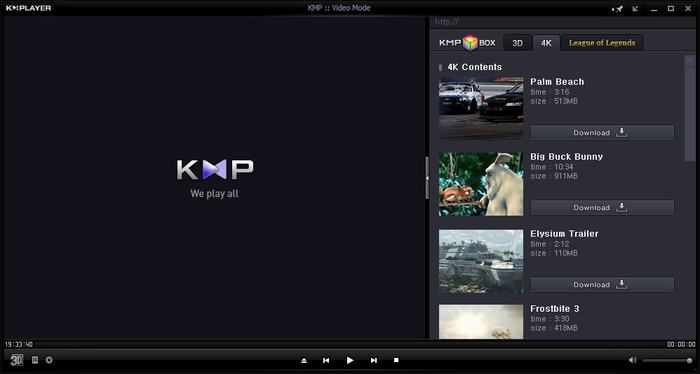
3. KMPlayer


best media player
KM Player
KMPlayer is another great and free Windows 10 media player that possesses the ability to play almost all mainstream video and audio files. As it has an inbuilt codec for Windows 10, the users don’t need to look for any different codec. To increase its compatibility even further, you can add external codecs. With the support for 3D, 4K, UHD support, the users can enjoy high definition videos on your devices.
KMPlayer is also known for its wide range of support for formats. The users have lots of choices when it comes to audio and video effects which makes sure that you don’t feed the dearth of any feature or support. You can choose the parts of videos as favorites, make them repeat, remap the keys for remote interface, etc. You also get the feature of editing subtitles right inside the player. First released in 2002, KMPlayer free media player was acquired by a Korean streaming company Pandora TV in 2007.
Supported Platforms: Windows 10, Windows 8.1, Windows 7, Windows Vista, Windows XP
– KMPlayer website


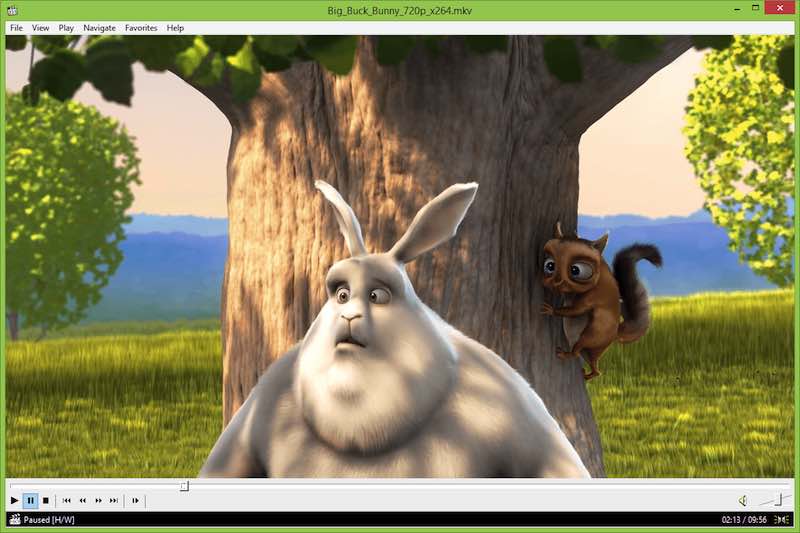
4. Media Player Classic – Home Cinema


best media player
MPC-HC for Windows
Just like its name signifies, Media Player Classic is a classic media player that was bound to be featured on our list of best media players. Build after the halted development of the original Media Player Classic, the Home Cinema version is an effort made by the community of its fans. Together, the developers have improved the older version and made a speedy and lightweight software. The other fork of the original Media Player Classic is the Black Edition. If we compare both of them, Home Cinema ranks better and keeps improving its feature set to rank among the best media players.
Talking about all the fancy features, just like other software on this list, Media Player Classic doesn’t come loaded. But, that doesn’t mean that it’s going to disappoint you. This free multimedia player can be used even on your old computer without any hassle. Media Player Classic is a great Windows 10 Media Player alternative and it also features a DVD player software on Windows 10, subtitle download option, Skype integration, etc.
Supported Platforms: Windows 10, Windows 8.1, Windows 7, Windows Vista, Windows XP
– MPC-HC website


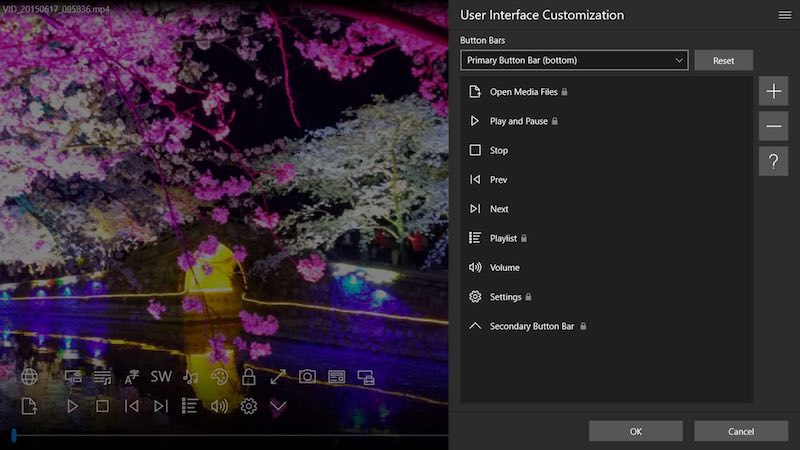
5. ACG Player


best media player
ACG player for Windows 10
If you’re looking for a UWP media player app for Windows 10 that’s clean looking, it’s time to stop your search becauase ACG Player could be your final choice. It’s a lightweight media player that has all the essential features like audio and video effects, music visualizer, art font subtitle, gesture control, background music. etc. ACG Player supports most media codecs out-of-the-box and follows no-nonsense policy. It also supports playback from external devices, files, and discs. An even more lightweight version of ACG Player is available in the form of Ax-Lite, which is its faster version without some features. Do give it a try for its clean and zippy interface.
Supported Platforms: Windows 10
– ACG Player website


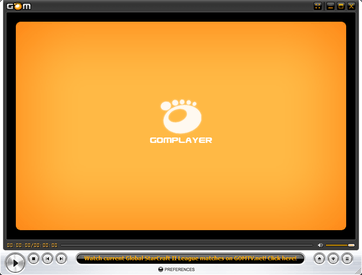
6. GOM Media Player


best media player
GOM Player
GOM Player, or Gretech Online Movie Player, is a completely free Windows media player alternative that comes with inbuilt support for the most popular video and audio formats. That means it can play all the most popular video formats like AVI, MKV, MP4, FLV, MOV, etc. Apart from the basic functionalities that come loaded with other popular PC media players, GOM Player comes with lots of advanced features like A-B repeat, Media Player Capture, speed control, audio and video effects, screen capture, etc. It also gives you the choice to change skins and make the whole look of GOM Player highly customized.
Using GOM’s own library, you can download lots of subtitles and enjoy movies and TV shows in your preferred language. You can also link this awesome media player for PCs with the vast database of OpenSubtitles.org. It could be possible that this media player software might not support some uncommon types. For that scenarios, GOM Player’s Codec Finder service will let you search for the missing codec. GOM Player for Windows supports a wide range of operating systems, ranging from Windows 10 to Windows XP SP3.
Supported Platforms: Windows 10, Windows 8.1, Windows 7
– GOM Player website


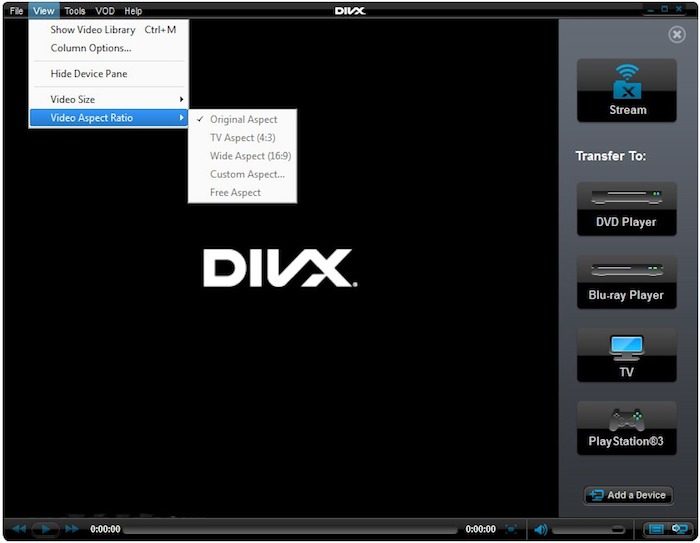
7. DivX Player


best media player
DivX Player
The #7 entry on our list of best media players is DivX Player for Windows. It calls itself the first of its kind media player that offers free HEVC playback. With this popular and useful media player, you can also enjoy UltraHD (4K) playback. It goes without saying that DivX player is optimized for played video files in the most popular formats like MP4, MKV, DivX, and AVI. DivX also acts as a streaming media player that lets you stream music, video, and photos to any DLNA-compatible device.
DivX player also comes with advanced features like Trick Play, which lets you jump to your favorite scenes easily. With the support for Chapter Points, you can simply play different scenes. Its smart media library keeps track of the purchased as well as private video content. The support for multiple audio means that you can switch among different soundtracks without hassle. With its Resume Play feature, you can simply jump to the point where you left off.
Supported Platforms: Windows 10, Windows 8.1, Windows 7, Windows Vista, Windows XP
– DivX Player website


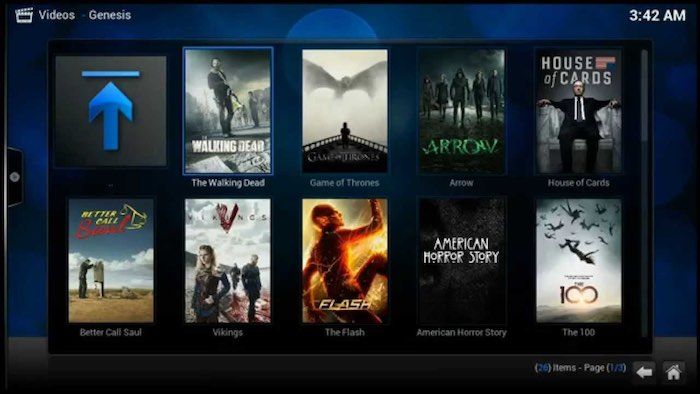
8. Kodi


best media player
Kodi for Windows
Kodi, formerly called XBMC, is a free and open source media player. It’s a highly customizable media player that you can use on your laptop or desktop to get a media center experience. Just in case you’re missing Windows Media Center on Windows 10, Kodi is a great alternative. This contender for the top media player for streaming content is even better if you’re using it with an external, larger display because of its 10-foot user interface. In the recent past, Kodi has been in the headlines due to pre-loaded Kodi boxes and add-ons that support piracy.
Kodi plays almost all popular video and music formats, podcasts, and other digital media stored locally or on the internet. Initially, Kodi was independently developed and called Xbox Media Center for the 1st gen Xbox gaming console. This recommended media player also has plug-ins that can be used to expand its features and include functionalities like Netflix, YouTube, Hulu, Veoh, etc. Kodi’s source code is open source and developed by a global community of unpaid volunteers.
Supported Platforms: Windows 10, Windows 8.1, Windows 7
– Kodi website


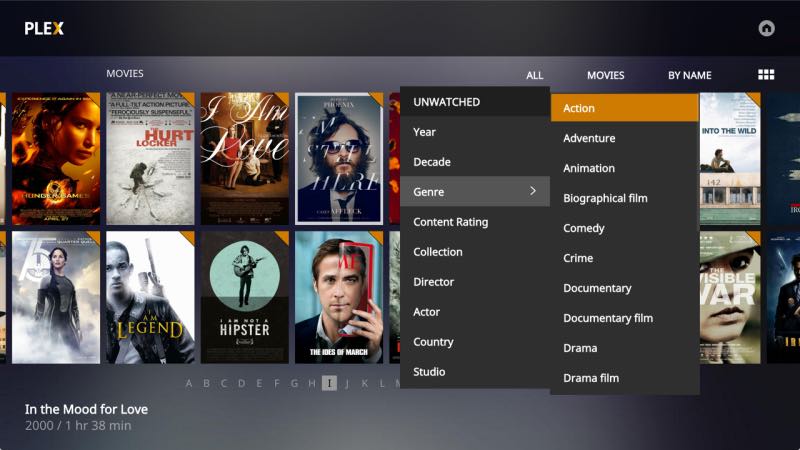
9. Plex


best media player
Plex
Back in 2015, Plex made a big change and replaced their Plex Home Theater with its new Plex Media Player. Plex lets you easily take care of your large media collection, which can include anything like videos, TV shows, movies, photos, personal videos and music, etc. It organizes your collections and makes it look great. With its easy-share nature, you can pick and choose what to make public and give your family access.
It supports almost all file types, including hi-fi music and video formats. As it’s Chromecast supported, you can cast the videos on your larger TV screen. You can also use the Plex app on your phone or tablet to take control of your player. Use this app to streamline your video content library and get the advantage of a feature-rich video media player as well.
Supported Platforms: Windows 10, Windows 8.1, Windows 7
– Plex website


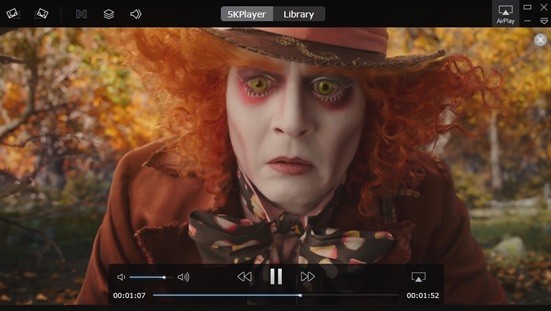
10. 5KPlayer


5KPlayer for Windows
5KPlayer, the final entry on the list of recommended Windows media players, is a top-rated video player for Windows 10 as it’s extremely compatible. It claims to play almost all kinds of videos and music without any plug-ins, and it actually delivers. Its interface is very clean and simple. It’s also known for its more streaming options. 5KPlayer also lets you import videos and music from websites like YouTube, Facebook, Vimeo, MTV, etc. It goes without saying that it’s compatible with common formats like MP4, MOV, M4V, MP3, AAC, etc.5KPlayer
Supported Platforms: Windows 10, Windows 8.1, Windows 7
– 5KPlayer website


So, which free media player is best in your eyes? Which one do you use to enjoy movies and other media content? Don’t forget to share your views and become a part of the discussion.

Source: https://fossbytes.com/10-best-free-media-players-windows/


Another article:

The 5 Best Free Music Players For Windows

by
Joel Lee. These days, I mostly stick to Spotify for streaming my favorite music and Pandora for discovering new music. Gone are the days of downloading gigabytes of data and trying to fit them all on a device. Now I can just listen to whatever I want, wherever I want, as long as I have a Wi-Fi connection. This Smart Trick Keeps Your Pandora Stations Fresh This Smart Trick Keeps Your Pandora Stations Fresh Pandora is a great music service, but sometimes your stations get a little stale. Here's an easy way to improve them without any effort. Read More
But there are benefits to downloading music instead. The best one? Being able to play music even when you don’t have internet access. You also only need to download songs once (which preserves bandwidth) and you can keep your music forever (as long as you don’t delete any of it).
If you’re going that route, you now have a decision to make: which music player are you going to use? Truthfully, there are a lot of great ones out there, but here are the ones we’ve found to be the best.

1. foobar2000


As far as I’m concerned, foobar2000 is one of the wonders of Windows. It launched way back in 2002, making it one of the oldest surviving apps that people still recognize. And in all that time, it has avoided the biggest mistakes that most apps make: losing focus, becoming bloated, and not staying relevant.


The 5 Best Free Music Players for Windows windows music player foobar2000


We praised the virtues of foobar2000 several years ago, and still sing those praises today. It’s lightweight enough to let you listen to music on any system, no matter how old, without bogging down performance. And it’s simple enough that you won’t feel overwhelmed. Yet, it’s extensible through plugins, so you can incorporate new functionality if you want.
There’s a reason why we have it on our list of Best Windows Software. And as long as it doesn’t lose its way or make any huge mistakes, it will stay in that spot for years to come.
Notable features include:
  • Lightweight interface is fast, responsive, and customizable.
  • Supports all major audio formats, including AAC, AIFF, FLAC, MP3, OGG, WAV, WMA, and you can always add more support by installing components.
  • Transcodes between all supported audio formats.
  • Accepts third-party plugins.
  • ReplayGain and gapless playback.
  • Advanced media tagging.
  • Customizable keyboard shortcuts.
Downloadfoobar2000 (Free)


2. MusicBee


MusicBee calls itself the ultimate music manager and player, and based on what I’ve seen, it deserves that description. This player really cares about delivering the best music experience it possibly can and giving you the tools to tweak everything to your liking.


The 5 Best Free Music Players for Windows windows music player musicbee


Perhaps the best thing about MusicBee, which seems to be missing from a lot of music players these days, is the lively and active community around it. The forums have thousands of active members and hundreds of new posts every day — not just for support, but also for user-contributed content like plugins, skins, tips, and tricks.
Notable features include:
  • 10-band and 15-band equalizers for maximum audio quality.
  • Automatically tags your music for instant organization.
  • Handles WASAPI for serious audiophiles with high-end audio equipment.
  • Supports skins and plugins.
  • Imports iTunes and Windows Media libraries.
  • ReplayGain and gapless playback.
  • Available on Android and Windows Phone for mobile sync and playback.
DownloadMusicBee (Free for personal use)

3. Winamp


If you can believe it, Winamp is even older than foobar2000 — by more than five years! Having launched in 1997, the road has been bumpy at times, and Winamp nearly shut down altogether back in 2013. But the current version as of this writing is pretty good. If you ever gave up on Winamp, now might be a good time to try it out again.


The 5 Best Free Music Players for Windows windows music player winamp


That said, Winamp has always been a love-it-or-hate-it kind of program. It’s packed full of features that are definitely useful, but the interface is unique and some consider it to be a bloated mess that received too many unnecessary additions over the years. But is it terrible? Not at all.
Notable features include:
  • Supports all major audio and video formats, including AAC, AIFF, FLAC, FLV, MKV, MP3, MP4, OGG, WAV, WEBM, WMA, WMV.
  • Handles skins and plugins.
  • Imports iTunes libraries.
  • Discover new artists with dynamic song recommendations.
  • Smart views and dynamic playlists for variety.
  • Available on Android for mobile sync and playback.
DownloadWinamp (Freemium)

4. MediaMonkey


MediaMonkey is crazy useful for anyone who has a massive media library — we’re talking hundreds of thousands of songs. A lot of music players slow down and choke when trying to manage and process that much data, but MediaMonkey handles it with aplomb.


The 5 Best Free Music Players for Windows windows music player mediamonkey


The downside to MediaMonkey, if you can even call it a downside, is that it’s perhaps too advanced for a lot of users. Not that it’s tough to use, but the interface can be a bit overwhelming to navigate, especially if you’re used to something more streamlined like foobar2000 or Winamp. Overall, however, MediaMonkey’s feature set is impressive and worthwhile.
Notable features include:
  • Supports all major audio and video formats, including AAC, FLAC, MKV, MP3, MP4, OGG, WAV, WMA, WMV. Also has a WASAPI plugin for serious audiophiles with high-end audio equipment.
  • Handles transcoding between most supported audio formats.
  • ReplayGain and gapless playback.
  • Jukebox and Auto-DJ features for parties and public events.
  • Advanced media tagging, including auto-identification of songs.
  • Batch and automatic renaming of filenames according to your preferred pattern.
  • Available on Android and iOS for mobile sync and playback.
DownloadMediaMonkey (Freemium)

5. Dopamine


You may not have heard of Dopamine before. Most people haven’t, which is such a shame. Because this nifty little music player specifically targets Windows users. It aims to provide a solid music-playing experience with all of the essentials and none of the bloat.


The 5 Best Free Music Players for Windows windows music player dopamine


If you ever used Zune Player, you’ll feel right at home.
Dopamine has a dark and light theme as well as an accent color (which can be set as a custom color or it can automatically match your Windows accent color). Point it to however many music library folders you have and it will automatically update based on changes therein. Simple and straightforward.
Notable features include:
  • Extremely simple and lightweight, essentially barebones.
  • Supports the following audio formats: AAC, FLAC, MP3, OGG, WAV, and WMA.
  • Convenient quick controls in the Taskbar, the system tray, and notifications.
  • Multiple player modes, including cover, micro, and nano modes.
  • Works well on desktop and mobile versions of Windows 10.
DownloadDopamine (Free)

A Final Note on VLC and Groove Music


These two are suspiciously missing from this list. One is a favorite of fans all around the world and the other comes pre-installed on all modern Windows systems. Why did we exclude them?
VLC is an excellent way to play media, but it’s more of a video player than a music player, whereas some of the apps we highlighted above are music players first and video players second. This is most evident in the interface, which is better suited for video management than music management. But it’s also apparent from the heavy feature set, which may not be desirable for simple music playback. The Top 5 Free Media Players for Windows The Top 5 Free Media Players for Windows Strong media player apps always rise to the top and it's not important which one you use. The best media player for you is the one you most enjoy using. We suggest the following... Read More
Groove Music is okay as well, but perhaps a little too primitive at the moment. You can play local music with it but the interface is a bit too clunky to recommend. However, if this article was expanded to include 10 apps, Groove Music would absolutely be on there.


The 5 Best Free Music Players for Windows windows music player groove


For now, I’d only use this player if you’re also subscribed to Groove Music Pass, which lets you stream millions of songs like Spotify or Apple Music.

At the end of the day, it comes down to whatever you like best. So which one is your favorite and why? Share your thoughts with us in a comment below! And if you think we missed a great app, please let us know!

Source: https://www.makeuseof.com/tag/best-free-music-players-windows/